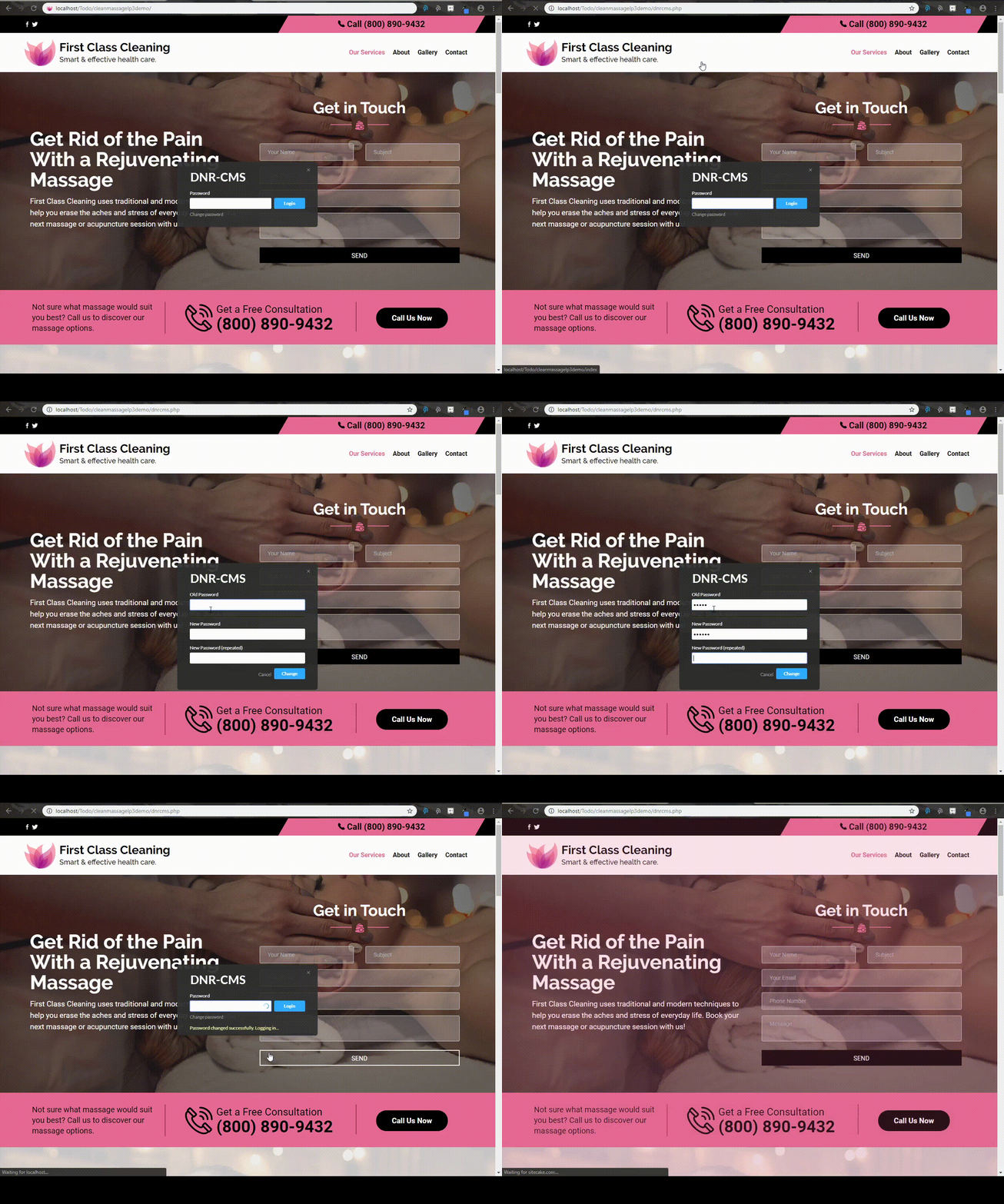
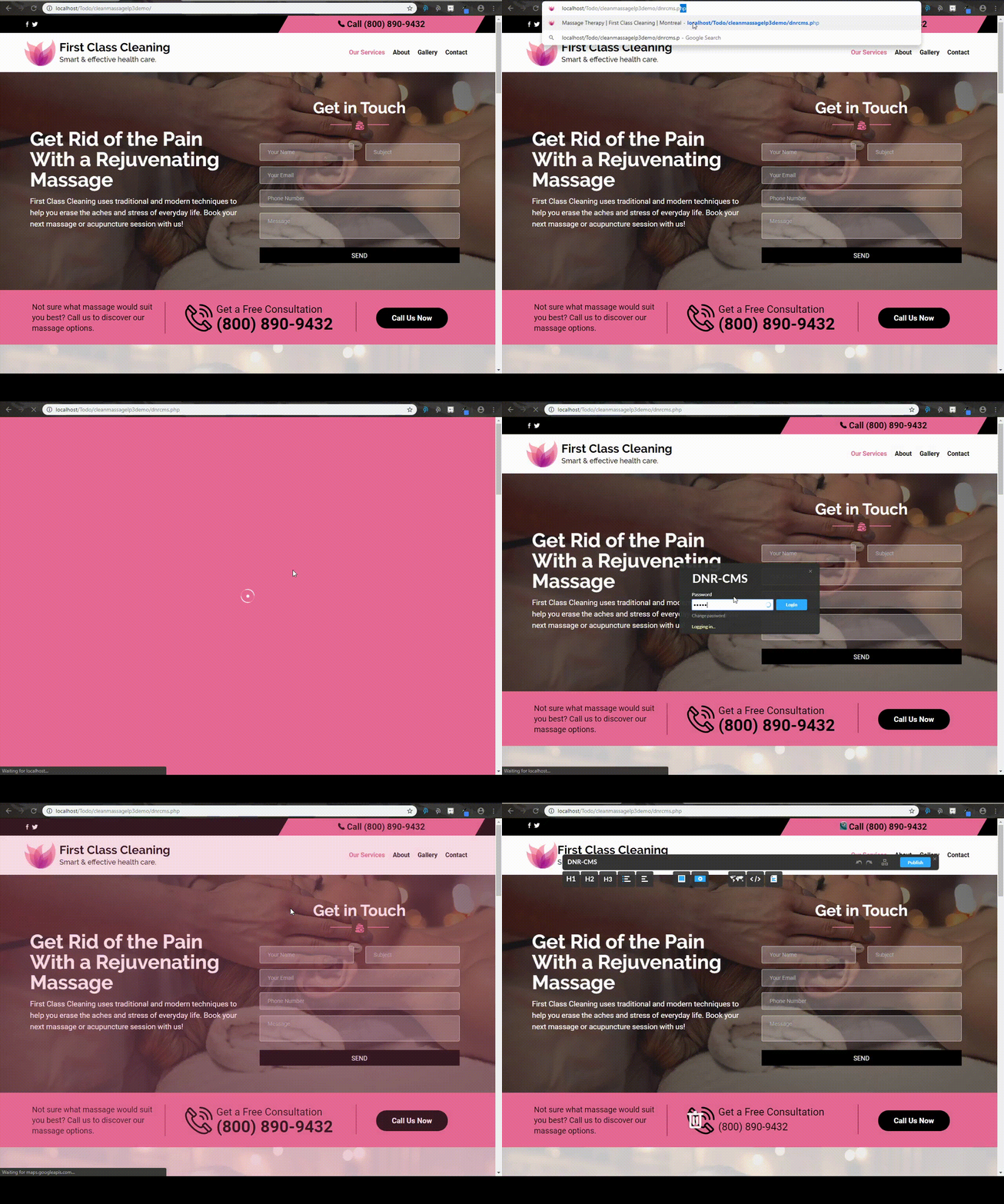
In order to be able to edit your website, you must first login to the DnrCMS admin.
To do so, simply append dnrcms.php to the end of your website url. For example, if your website is www.designnrank.com, you would need to go to www.designnrank.com/dnrcms.php in order to login to the administrator panel.
How to exit the panel
To logout, left click the exit ("x") button at the upper right corner of the DnrCMS panel, or remove dnrcms.php from the end of the website url.

Changing the administrator password
To change the password, append dnrcms.php to your url as we did for the login, and select the "Change Password" option.