Adding a Google Map
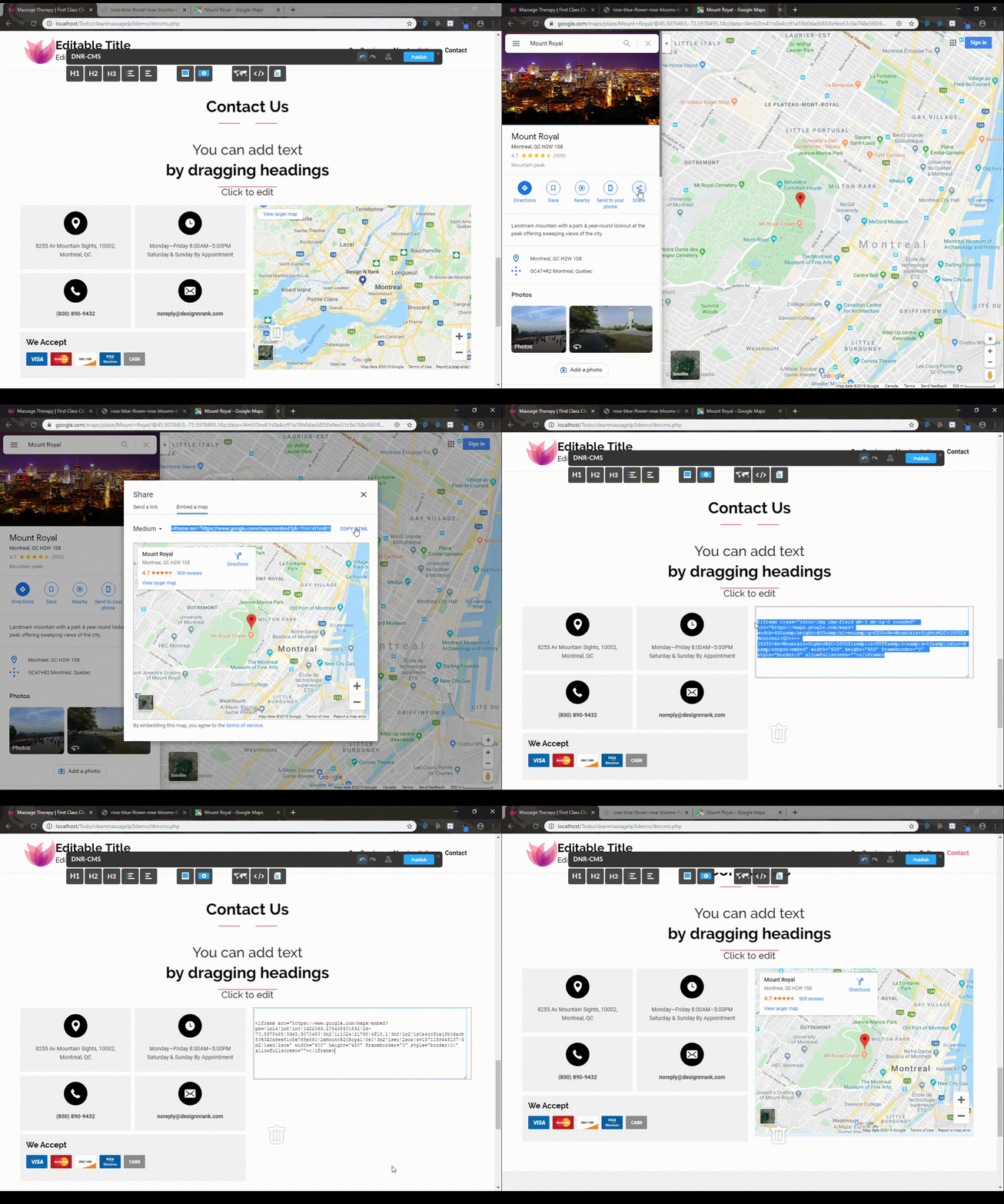
To add a Google Map with your location to your website, you can simply drag and drop a Map object from the DnrCMS interface onto your website, and then copy the google map URL and paste it as shown below.

Modifying an existing map
As an alternative, you can change the location of the map by selecting the "Share" option on the google maps page of your location, then select the "Embed a Map" tab and select "Copy Link" and paste it in the Map object on your website.