Website Changes (Adding or removing images from the gallery)

Adding or removing images from the gallery

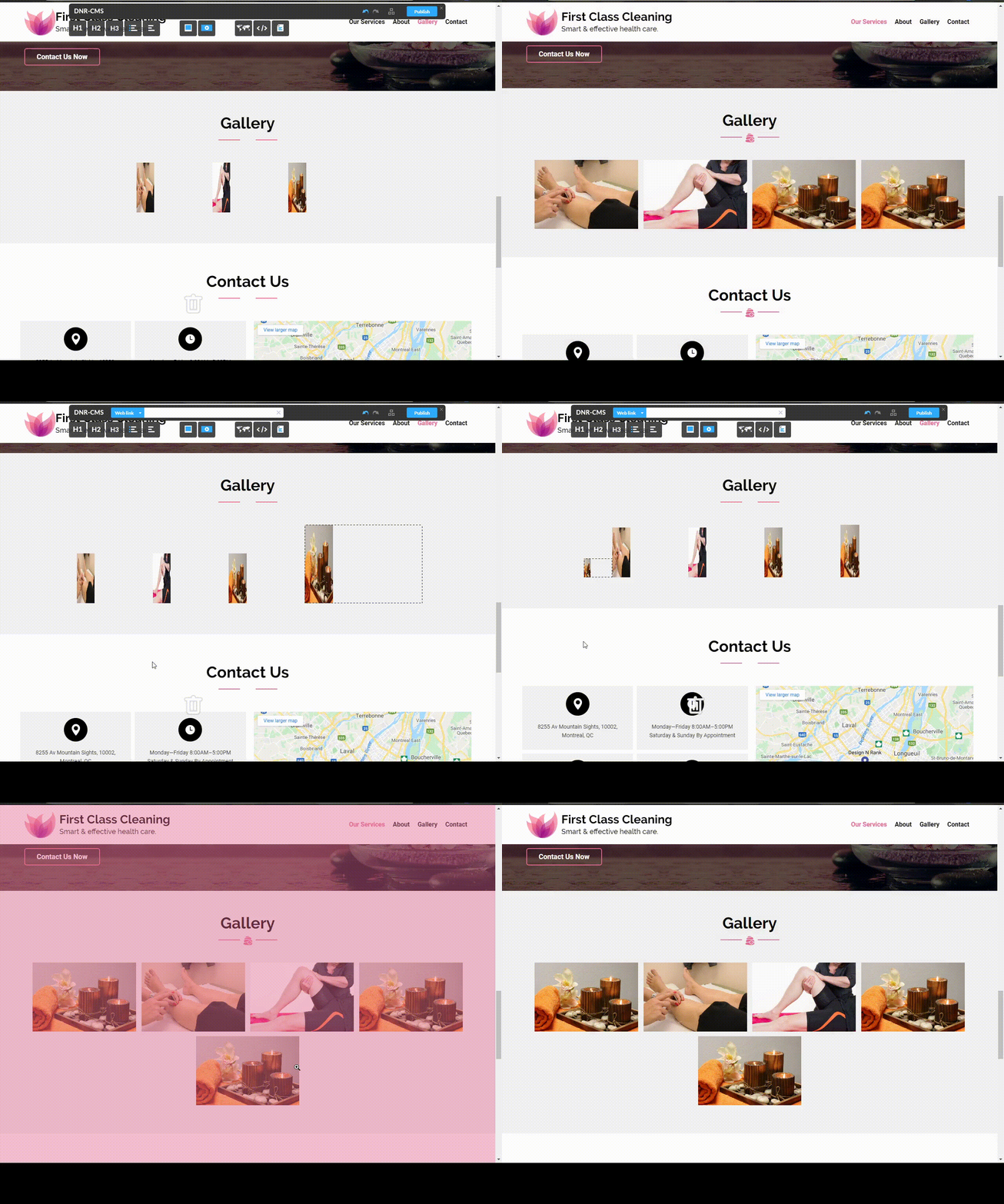
In order to add images to the gallery, you can use any of the three methods mentioned in the "Adding or deleting images to your websites" section of this page to drag an image to your gallery. If you want the image to be the first in the gallery, drag it on top of the rest, or drag it at the bottom if you want it to be the last image in the gallery as demonstrated in the video below.


Or simply drag it before or after any image you would like, to order them to your liking.
 

  • 0 Bu dökümanı faydalı bulan kullanıcılar:
Bu cevap yeterince yardımcı oldu mu?

İlgili diğer dökümanlar

Website Changes (Publishing Changes)

Reverting Changes In order to revert changes, you must simply press CTRL and Z simultaneously....

Website Changes (Adding Adding a Google Map / Editing Existing Map)

Adding a Google Map To add a Google Map with your location to your website, you can simply drag...

Website Changes (Attaching files to your website)

Attaching files to your website You can attach files to your website by dragging the "Upload...

Website Changes (Embedding Youtube and Twitter links)

Embedding Youtube and Twitter links You may also add embedded Youtube videos or Twitter posts by...

Website Changes (Adding E-mail links to your website)

To add an E-mail link, simply highlight the text which you want to turn into a link and enter the...