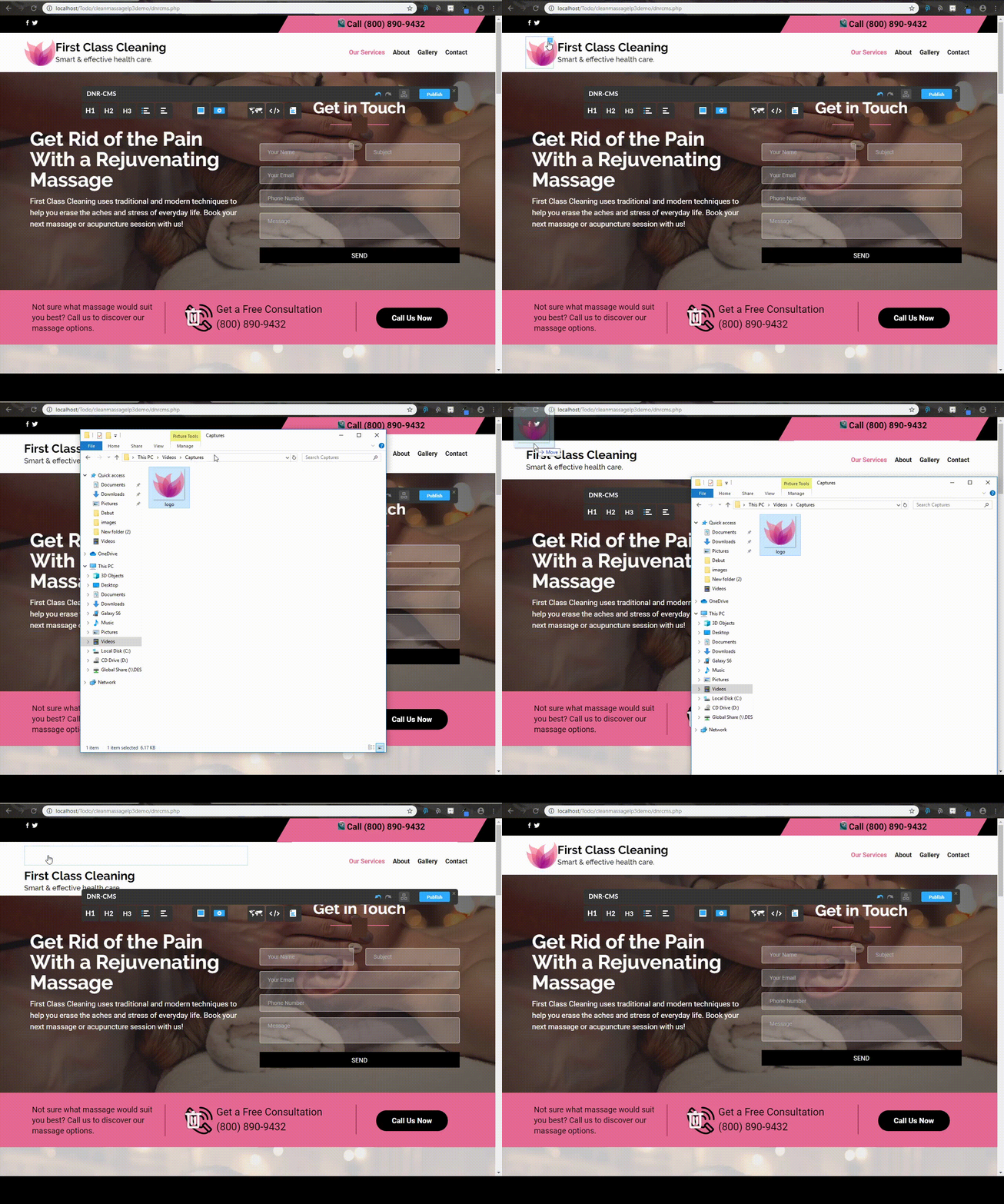
Editing the logo
1) In order to change the logo, you must first delete the current one with the "X" button located at the top right of the image when hovering over it.
2) Then drag your desired logo above the company title as shown in the video below.
3) You can resize it if needed by selecting the image and dragging one of the four squares situated on each corner.