Website Changes (Attaching files to your website)

Attaching files to your website

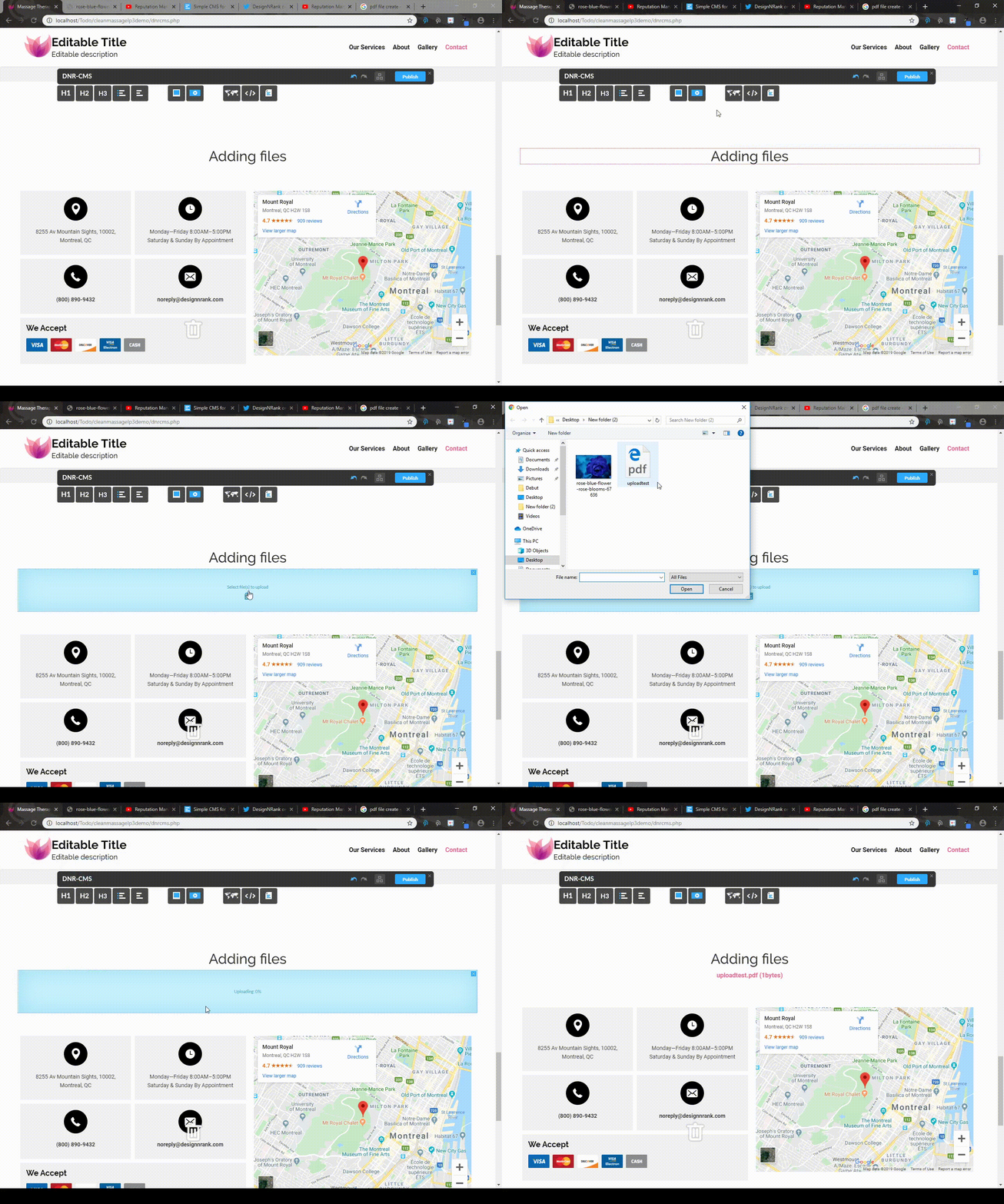
You can attach files to your website by dragging the "Upload File" object from the DnrCMS interface onto the page at the location you desire.

Then simply left click the "Select a file" box and select your file.
  • 0 Benutzer fanden dies hilfreich
War diese Antwort hilfreich?

Verwandte Artikel

Website Changes (Publishing Changes)

Reverting Changes In order to revert changes, you must simply press CTRL and Z simultaneously....

Website Changes (Adding or removing images from the gallery)

Adding or removing images from the gallery In order to add images to the gallery, you can use...

Website Changes (Adding Adding a Google Map / Editing Existing Map)

Adding a Google Map To add a Google Map with your location to your website, you can simply drag...

Website Changes (Embedding Youtube and Twitter links)

Embedding Youtube and Twitter links You may also add embedded Youtube videos or Twitter posts by...

Website Changes (Adding E-mail links to your website)

To add an E-mail link, simply highlight the text which you want to turn into a link and enter the...